 Handpicked
Can a 3D Printer Run Overnight Unattended?
People do it, and it is the most common way a print becomes a fire story. Here is what makes it defensible.
7 min read
Handpicked Reviews
Written and dated by our editors.
 By Kwame BoatengKwame Boateng · 3D Printing EditorPublished in September 2026
Quick answerquickAnswer: Yes — a filament printer can run overnight unattended, but only after you verify thermal runaway protection in the firmware, park the machine on a non-flammable surface with nothing draped over the frame, and add a smoke detector plus a remote-cut smart plug. Resin printers are a different answer. And the printer itself is the last question, not the first.
On this page
- Can a 3D printer run overnight unattended?
- What actually fails at 3 a.m.?
- Which of this month's three printers would I hand a long print to?
- What does the room around the printer need?
- Why are resin printers a worse candidate for unattended running?
- Why the old answer no longer applies
- Bottom line
Can a 3D printer run overnight unattended?
Ask yourself three things before the yes/no: what you're printing, how much of the plate it covers, and how fine the surface has to look. Those three answers decide whether you're looking at a 3-hour part you could babysit over an evening, or an 11-hour part you cannot watch at all. Only the second one is an unattended printing question.
Here's the reframe I keep coming back to: unattended printing is a duration problem, not a printer problem. Nothing inside the machine changes at midnight. What changes is that the failure and the person who could respond to it are no longer in the same room. Every piece of advice below exists to shorten that distance — either by preventing the failure or by letting you react from upstairs.
What actually fails at 3 a.m.?
Thermal runaway. A failed thermistor or a heater control that keeps heating with no feedback is the failure that actually matters, because it's the one that ends in smoke rather than wasted filament. Modern firmware has thermal runaway protection. That protection should be enabled and verified, not assumed — the setting existing on the menu and the setting being active in your build are two different things.
The first layer, not the eleventh hour. Most overnight disasters are decided in the first ten minutes and simply discovered in the morning. Do your leveling and first-layer check while you're awake, with the lights on, watching the skirt. The job you hand to the night should be one whose first layer you already watched with your own eyes.
Filament, which people treat as a consumable and not a variable. A runout with no sensor, a crossed strand on a badly wound spool, or filament that has been sitting open for a month are all quiet failures. PLA and PETG pull moisture out of the air, wet filament prints stringy and weak, and if you tuned your profile around dry filament then wet filament is a different profile. Seal spools with desiccant between jobs.
The cost you're actually risking. Per attempt, the material in a failed overnight print is the recurring cost of this habit — not the printer price. Budget your tolerances accordingly: a half-used spool is a cheap experiment, and that's the right way to think about your first few attempts.
Which of this month's three printers would I hand a long print to?
Three models cleared our threshold this month, and that's the whole list. A small pool gets named, not padded.
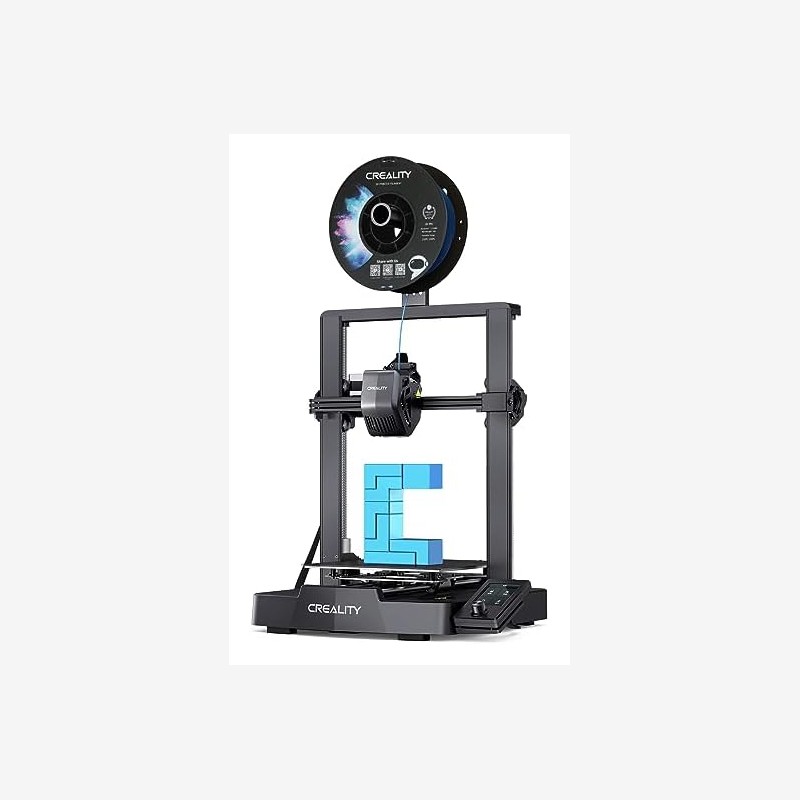
Creality Ender 3 V3 SE — HPR 9, 896 reviews, $236 at the time of writing, rated 250 mm/s. The highest score here and by far the deepest review base, which matters more than it sounds: with 896 reviews you can usually tell whether a failure pattern is the machine or you. First job I'd hand it unattended: something short and flat you've already printed once while awake, so the only new variable is that you're asleep.
Creality SPARKX i7 — HPR 8.9, 404 reviews, $299, with auto filament load. Automatic loading sounds like a convenience feature until you're running long jobs; it removes a whole class of mid-setup mistakes that only show up hours later. First unattended job: a spool you have already loaded and watched feed once.
Anycubic Kobra 3 V2 — HPR 8.8, 70 reviews, $300, with AI cameras. Seventy reviews is a thin base and I won't pretend otherwise. The camera is the honest reason to consider it here — it's the only one of the three that gives you a way to look at the print without opening the door.
One caveat that applies to all three: 250 mm/s is a rated figure, not a surface finish. It's the ceiling on a well-tuned machine on a good day. Overnight you want the profile that already worked, not the profile that might.
And note what's missing: none of these is enclosed. Enclosed printers reduce drafts and warping, which is why long prints succeed more often in them. If your long parts keep lifting at the corners, an enclosure is the upgrade to buy before another printer.
What does the room around the printer need?
- A non-flammable surface. Not a cardboard box, not a stack of paper.
- Distance from curtains and paper.
- Nothing draped over the frame — no towel, no cover, no "just while it runs."
- A smoke detector in the room.
- A smart plug that can cut power remotely.
The last two are cheap compared with the downside, and they're the difference between a failure you interrupt and a failure you read about later. Don't put the machine in a closed closet to hide the noise; that removes every one of these advantages.
Why are resin printers a worse candidate for unattended running?
Resin adds fumes and a flammable liquid to the equation. That's a different risk profile than a filament machine with a hot end, and it's a worse one when nobody is in the room. If you print resin, run it while you're home and awake. There's no firmware setting that closes that gap.
Why the old answer no longer applies
Two stale answers have been floating around for years: "never run a printer unattended," and "modern printers are safe, relax." Both are out of date.
The "never" answer was written before thermal runaway protection was standard firmware behavior. That protection is what moves the question from philosophy to verification — but it also creates the trap, because a feature that exists in firmware is not the same as a feature that is enabled in yours. The answer changed from a blanket no to a checklist, and checklists get skipped when people assume.
The "relax" answer ignores that the entry price keeps landing people on machines they bought on price. Our three picks this month sit at $236–$300 with HPR scores from 8.8 to 9 — when that's what a working printer costs, an overnight run stops being an advanced move and becomes a first-week project. The setup advice hasn't caught up with that.
Bottom line
Filament: yes, with four conditions — thermal runaway protection verified in firmware, a clear non-flammable surface, a smoke detector, and a plug you can kill from your phone. Resin: no, run it awake. The machine is the least important variable here, though if you want a starting point, the Ender 3 V3 SE's 896 reviews and HPR 9 make it the easiest one to diagnose, the SPARKX i7's auto filament load removes a class of setup errors, and the Kobra 3 V2's camera is genuinely useful behind a thin 70-review base. Next step: tonight, before you slice anything, do the four checks. Then slice a two-hour version of the print you actually want and run that one while you're awake.
FAQ
Is it safe to leave a 3D printer running overnight?
A filament printer can be run unattended once thermal runaway protection is verified, the machine sits on a non-flammable surface away from curtains and paper with nothing draped over the frame, and there's a smoke detector plus a remotely controllable power cut. The answer is conditional, not absolute.
Can I run a resin printer overnight?
No. Resin printing adds fumes and a flammable liquid, which makes it a worse candidate for unattended running than any filament machine. Run resin jobs while you're home and awake.
Do I need an enclosure for overnight prints?
An enclosure helps with drafts and warping, which is why long prints succeed more often inside one, and it does nothing for the failures that actually start fires. Treat it as a print-quality upgrade, not a safety device.
Does the rated speed matter for unattended printing?
Not directly — the printer doesn't fail because it's fast. But a profile pushed to its rated ceiling is a marginal profile, and marginal profiles are exactly what you can't babysit overnight. Run the settings you've already validated.
What should my first overnight print be?
Something you have already printed once while awake, on a spool you have watched feed. Change one variable at a time: first the duration, then the print.


