 Handpicked
How Long Do Dash Cams Record Before They Overwrite?
Loop recording means the card decides your history, not the camera. Here is the arithmetic for 1080p, 2K and 4K.
7 min read
Handpicked Reviews
Written and dated by our editors.
 By Iris NakamuraIris Nakamura · Dash Cam EditorPublished in September 2026
Quick answerA dash cam doesn't run out of space — it writes in a loop and overwrites the oldest clip when the card fills. Loop length is card capacity divided by write rate, so a 4K+2.5K two-channel setup on a 64–128 GB card rotates fastest. Nothing is lost unless the card or the power fails.
# How Long Do Dash Cams Record Before They Overwrite?
On this page
- How long does a dash cam record before it overwrites?
- Does a 4K two-channel setup shorten the loop?
- What size memory card should I actually buy?
- Does parking mode shorten the loop, and will it drain my battery?
- What breaks the loop first: the card, the heat, or the power?
- Why the old answer no longer applies
- Bottom line
How long does a dash cam record before it overwrites?
When a claim finally lands on someone's desk, what has to be legible is narrow: the plate, the lane position, the timestamp. Whether your camera holds a long loop or a short one only matters because it decides whether those items still exist on the card when somebody asks.
A dash cam records in a loop. When the card fills, the oldest clip is overwritten to make room for the newest. There is no fixed number of hours behind that, and any listing that quotes one is quoting a best case. Loop length is arithmetic — card capacity divided by the rate the camera writes. Change the resolution or the bitrate and you change the divisor. Change the card and you change the numerator. Two cameras that look identical on the shelf can hold very different amounts of history.
At claim time the real question is smaller than "how long is the loop." It's whether the loop still covers the gap between the event and the moment you pull the card. A parking-lot hit on Monday that you only remember on Friday is already gone — recycled by design, not hidden somewhere on the card.
Does a 4K two-channel setup shorten the loop?
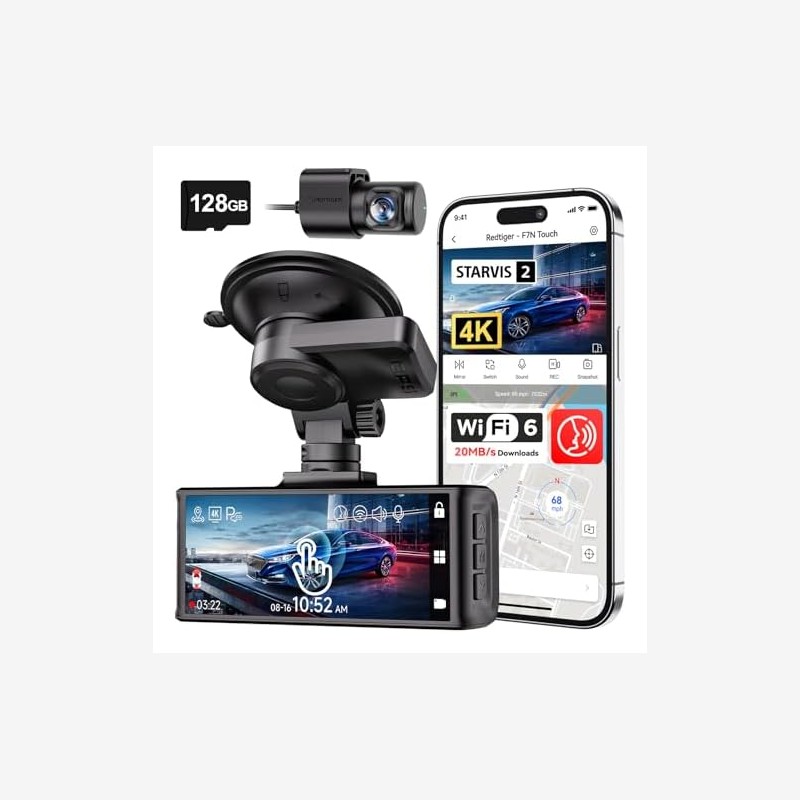
Yes, and it's the hardest case we track: a 4K+2.5K two-channel setup is the toughest configuration for loop length. Two channels writing high-resolution video at the same time generate more data per minute than a single-view camera, so the card fills faster and the oldest clip vanishes sooner.
That is also why "4K" is not the same thing as "better evidence." Resolution only helps if the sensor can find detail in the light it actually has. Night plate reading depends on the sensor and on how the camera processes a low-light frame — not on the pixel count printed on the box. Marketing lumens and megapixels don't tell you whether a plate is readable at the moment of impact.
Of the two cameras we can currently vouch for, the pick depends on your forensic scenario. The REDTIGER VC70 (4K+2.5K two-channel, HPR 9.4, 205 reviews, $240 at writing) is built around two simultaneous high-resolution channels — the configuration that stresses the loop hardest, and also the one that gives you a rear record of a lane-change dispute. The REDTIGER F4 Pro 4K (HPR 9.2, 353 reviews, $130 at writing) costs less and leaves room in the budget for the two things buyers underfund: the card and the power path. Either camera is only as good as the card cycling underneath it.
What size memory card should I actually buy?
64–128 GB is the practical sweet spot. Larger cards can work, but they need the right file system, and the card is the component being written to death. It's rewritten on every loop, indefinitely. Cards tend to fail quietly rather than loudly: the camera still powers on, the screen still lights up, and the newest file is simply older than it should be.
Treat the card as part of the evidence chain, not an accessory. Check the newest file on the card now and then — if the timestamp doesn't match your last drive, the loop has stopped, and a camera that looks like it's recording is the worst outcome available, because you'll stop double-checking it.
Rear-ended at a light, other driver disputes the signal: the clip that settles it is the one written earlier and still inside the loop window. That's the only reason to know your loop length at all.
Does parking mode shorten the loop, and will it drain my battery?
Both. Parking mode needs constant power and a voltage cut-off, or it flattens the car battery. The cut-off protects the battery, not the card. And parking video is written into the same loop as your driving footage, so a week of parked recording pushes your driving clips toward the delete boundary faster than a week of commuting alone.
If you hardwire for parking mode, answer two questions before buying: at what voltage does the camera cut off, and does it resume recording when the car starts? A parking setup without a cut-off trades a dead battery for footage you may never need.
What breaks the loop first: the card, the heat, or the power?
Heat, usually — and it's the failure nobody notices. Supercapacitors tolerate a parked car in summer far better than lithium cells, which is why a supercapacitor camera is the safer bet for a car that sits in the sun. A camera that shuts down in the heat and boots normally the next cool morning leaves you a card full of nothing and no warning.
The card and the power are the other two suspects. Cards wear out from constant rewriting, and power problems hit hardest in parking mode, where the camera runs off the car battery. Any one of the three turns a camera into a decoration.
Why the old answer no longer applies
The old guidance assumed a single-view camera at modest resolution, a modest card, and hardware that only ran while you drove. Under those conditions "get a big card and forget it" was reasonable, because the loop moved slowly.
None of those assumptions hold now. Two-channel 4K+2.5K setups sit at consumer prices — $240 for the VC70, $130 for the F4 Pro 4K — and a two-channel high-resolution camera burns through a card far faster than the single-view cameras that advice was written for. Parking mode is ordinary rather than exotic, which means the camera is writing while you sleep. Supercapacitors have displaced lithium cells in the cameras that survive summer heat, but that doesn't slow the loop down.
"4K is better" was also the wrong lesson to take from higher resolution. Higher resolution shortens the loop, and it doesn't by itself make a plate readable at night. The corrected version is less satisfying: match the card to the write rate, keep the power honest, verify the loop is still running.
Bottom line
Loop length is capacity divided by write rate — not a fixed number of hours, and not something a product page can hand you. A 4K+2.5K two-channel setup shortens the loop the most, so a 64–128 GB card and a trustworthy power path matter more than the resolution badge. Parking mode buys coverage and spends battery, which is why the voltage cut-off isn't optional. And a card that dies quietly is worse than no camera at all, because you'll assume you're covered.
Next step: pull the card today, open the newest file, and check the timestamp against your last drive. If it doesn't line up, fix the card or the power before you need the footage.
FAQ
Do dash cams delete old footage automatically?
Yes. Loop recording overwrites the oldest clip once the card is full, so the camera never runs out of space — it just keeps the most recent window of footage, and that window is what you're working with after an incident.
How long is that window in hours?
There is no honest single number. Loop length is card capacity divided by write rate, so it changes with resolution and bitrate. A 4K+2.5K two-channel setup produces the shortest loop of any common configuration, and 64–128 GB is the practical card range.
Is a bigger card always better?
Not automatically. Larger cards may need the right file system to work at all, and capacity only buys you loop length — it does nothing about the wear the card takes from being rewritten continuously.
Will parking mode record while the car is off?
It can, if it's wired to constant power with a voltage cut-off — without one, it will flatten the battery. Its clips occupy the same loop as your driving footage, so heavy parking use shortens how long your driving clips survive.


